
Ever wondered how to let people know you’re away without sounding boring? Our “75+ Top Out of Office Message Templates & Examples” make it super easy and even fun to stay professional while you’re out!
From formal business trips to quirky vacation notes, we’ve got templates for every situation. Say goodbye to awkward auto-replies and hello to messages that actually make people smile!
What is an out of office (OOO) message?
An out of office message 📧 is an automatic email response that tells people you’re unavailable. It’s a simple way to let contacts know when you’ll be back and who they can reach in the meantime.
Also known as:
- OOO email template :A pre-written format for your away message
- Automatic email response :An auto-reply that sends without manual action
- Email autoresponder message :A system that replies to incoming emails automatically
When to use an out-of-office message and its importance
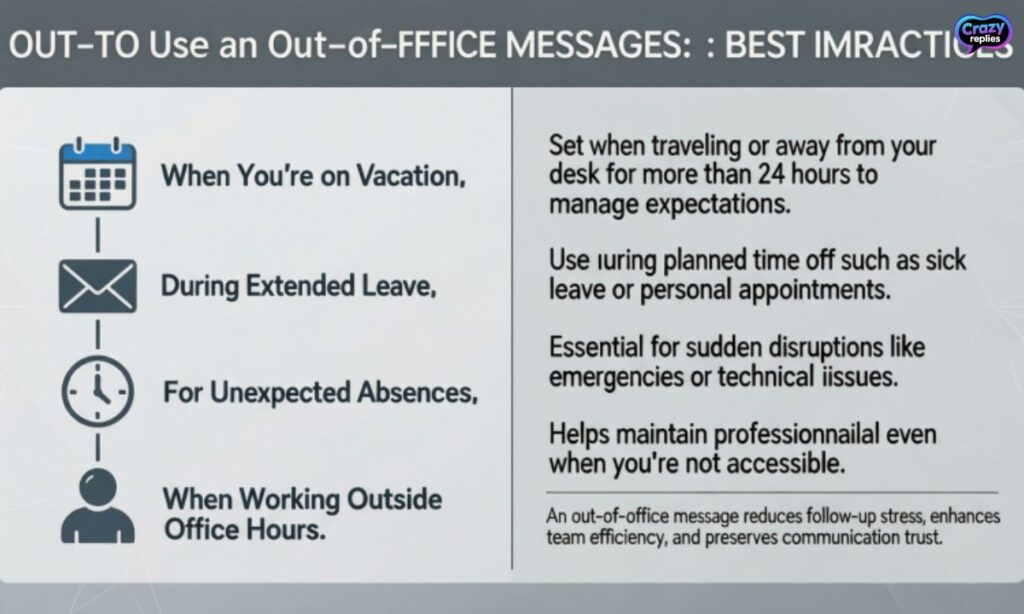
An out-of-office notification is essential whenever you can’t respond to emails promptly. It sets clear expectations and maintains professional communication even when you’re away from your desk.
Common scenarios to use an OOO auto reply:
- Vacation or holiday :Let people know you’re taking personal time off and when you’ll return🏖️
- Sick leave :Inform contacts about your temporary absence due to health reasons🚑
- Business trip or work travel :Share that you’re away but may have limited email access✈️
- Maternity or paternity leave :Notify colleagues about your extended leave and alternative contacts👶
- Office closure :Alert clients about company holidays or temporary shutdowns🏢
How to write an out of office message
Writing a professional out of office email doesn’t have to be complicated. Just include the key details people need and keep your tone friendly yet professional.
Essential tips for crafting your OOO message:
- Keep it short and clear :State your absence dates and return date upfront✍️
- Provide an alternative contact :Share who can help while you’re away✅
- Set response expectations :Let people know if you’ll check emails occasionally or not at all✍️
- Match your tone to your audience :Stay professional for clients, more casual for internal teams✅
- Include urgency instructions :Guide people on what to do for time-sensitive matters✍️
What to include in an out of the office email message
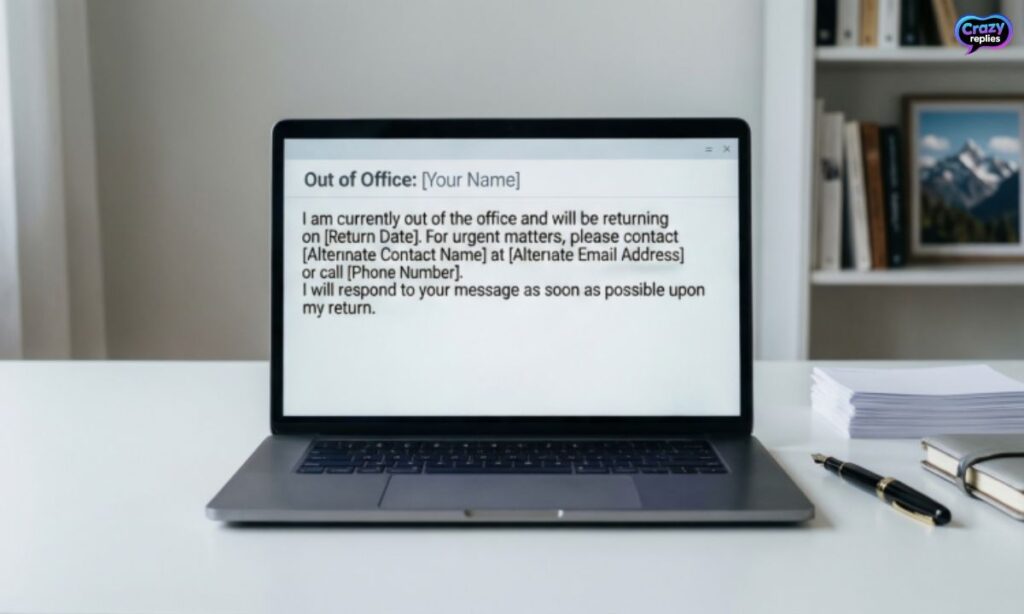
A complete out of office email format should cover all the basics so recipients know exactly what to expect. Following these elements ensures your automatic email response is clear and helpful.
Key components of an effective away from office message:
- Clear subject line :Use “Out of Office” or “Away” so it’s immediately recognizable📝
- Friendly greeting :Start with a simple “Thank you for your email” or similar acknowledgment👋
- Specific dates :Mention when you’re leaving and your exact return date📅
- Alternative contact :Provide a colleague’s name and email for urgent matters📞
- Response timeline :Let them know when they can expect to hear from you
- Brief reason (optional) :A simple “vacation” or “business trip” adds context without oversharing💼
| Component | Example |
| Subject Line | “Out of Office: [Your Name]” |
| Dates | “I’m away from March 10–17, 2026” |
| Alternative Contact | “Please contact Sarah at sarah@company.com” |
| Return Info | “I’ll respond to emails when I return on March 18” |
Common mistakes to avoid when writing out-of-office messages
Even the best out of office message examples can fall flat if you make basic errors. Avoiding these common pitfalls ensures your email autoresponder message stays professional and effective.
Mistakes that hurt your OOO email template:
- Sharing too much personal information :Skip detailed vacation plans or medical details⚠️
- Forgetting to update return dates :Wrong dates confuse people and damage credibility⚠️
- Being too casual with clients :Save funny out of office messages for internal teams only⚠️
- Not providing alternative contacts :Leaving people stranded creates frustration and delays⚠️
- Using vague language ::”Away for a while” doesn’t help anyone plan around your absence⚠️
- Leaving it on after you return :An outdated auto reply makes you look disorganized⚠️
Catchy subject lines to use in your out of office messages
Your out of office subject line is the first thing recipients see, so make it clear and attention-grabbing. A good subject line sets the right expectations before they even open your automatic email response.
Effective subject line examples for your OOO notification:
- “Out of Office: Returning [Date]” :Simple and straightforward with your return info📨
- “Away from my desk until [Date]” “Casual yet professional tone📨
- “[Your Name] is Out of Office” :Personal and immediately clear📨
- “On vacation through [Date] – Limited email access” – Sets realistic response expectations📨
- “Currently unavailable :Back on [Date]” :Direct and informative📨
- “Out of Office: [Reason] leave until [Date]” :Provides context without oversharing📨
- “Away on business Returning [Date]” :Perfect for work trip email notifications📨
Top out of office message examples and templates
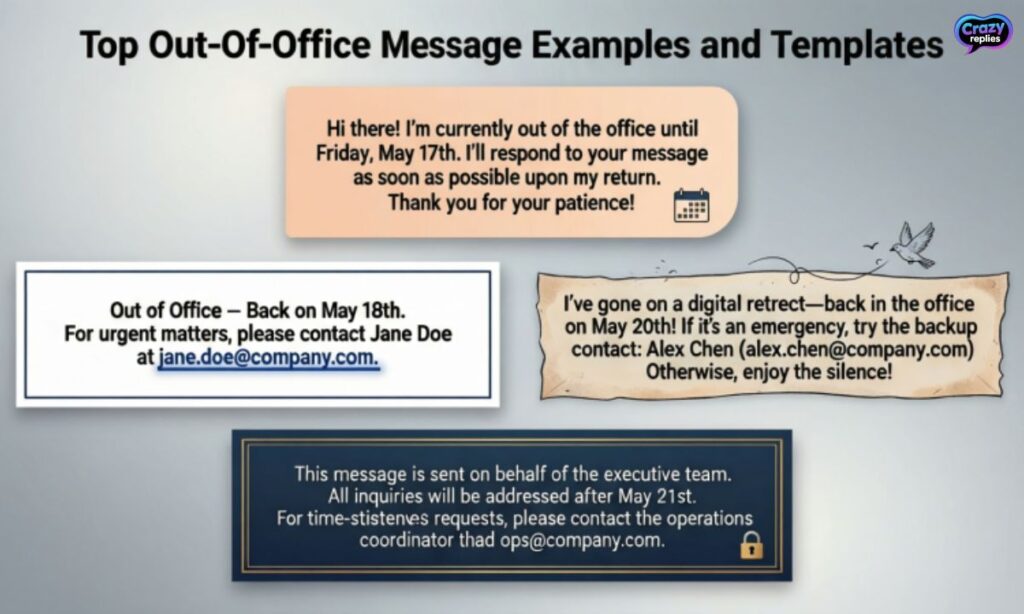
Our collection of 75+ Top Out of Office Message Templates & Examples covers every situation you might encounter. These professional out of office email templates are ready to customize and use right away.
Template categories in our 75+ Top Out of Office Message Templates & Examples:
- Standard vacation and holiday templates :Perfect for personal time off💼
- Business trip and conference messages :For work-related travel🚀
- Medical and personal leave templates :Sick leave, maternity, and paternity options🏥
- Creative and funny OOO messages :Add personality to internal communications😄
- Short and quick auto-replies :Minimal but effective responses⚡
| Template Type | Best For | Key Feature |
| Standard Vacation | Personal time off | Clear dates + alternative contact |
| Business Trip | Work travel | Limited availability note |
| Extended Leave | Maternity/Medical | Longer timeline + backup contact |
| Holiday Closure | Company-wide off | Office closure dates |
| Quick Reply | Brief absences | Short message, fast return |
| Client-Facing | External contacts | Ultra-professional tone |
| Internal Team | Coworkers only | More casual, friendly tone |
How to add out of office email message in BoldDesk
BoldDesk makes setting up your out of office auto reply simple with built-in automation features. You can create professional OOO email templates in just a few clicks using their smart tools.
Steps to set up your automatic email response in BoldDesk:
- Use AI Copilot “Generate professional auto reply templates instantly with AI assistance🤖
- Access automation settings :Navigate to email preferences and enable the autoresponder feature⚙️
- Set your dates and message 📅
- Input your absence dates and customize your away message
- Configure smart routing :Automatically redirect emails to team members during your absence🔄
How to set up out-of-office messages
Setting up your out of office message for Gmail, Outlook, or other platforms is straightforward once you know where to look. Each email platform has slightly different steps, but all make it easy to activate your email autoresponder message.
Quick setup guide for popular platforms:
- Gmail :Go to Settings → See all settings → Vacation responder, then toggle it on and add your message📧
- Outlook out of office setup :Click File → Automatic Replies → Turn on and enter your OOO notification💼
- Apple Mail :Use Rules to create an auto-reply or set up through your email provider’s webmail🍎
- Microsoft Teams :Update your status to “Out of Office” and set a custom message💬
- Slack :Click your profile → Set a status → Choose “Vacationing” and add your away dates🔔
| Platform | Access Point | Key Feature |
| Gmail | Settings → Vacation responder | Schedule start/end dates automatically |
| Outlook | File → Automatic Replies | Separate messages for internal/external |
| Apple Mail | Preferences → Rules | Custom rule-based responses |
| Teams | Profile → Status | Syncs with Outlook calendar |
| Slack | Profile → Status | Visible across all channels |
Always be professional and reliable with an out of office message
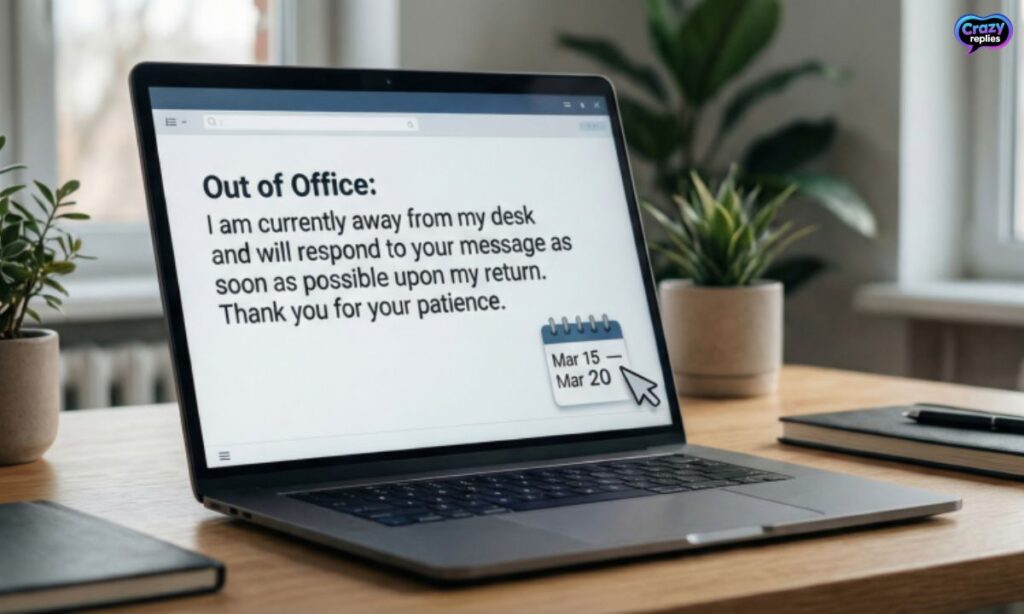
Your out of office email etiquette reflects on your professional reputation even when you’re away. A well-crafted OOO message shows respect for others’ time and maintains trust with clients and colleagues.
Professional practices for your automated email replies:
- Test before you leave :Send yourself a test email to ensure your automatic email response works correctly✅
- Keep it business-appropriate :Save creative OOO email ideas for internal use only; stay formal with clients👔
- Update it immediately upon return :Turn off your auto responder the moment you’re back to avoid confusion✅
Creative and Funny Out of Office Message Ideas
While professional out of office email templates work best for clients, funny out of office messages can add personality to internal team communication. These creative OOO email ideas bring a smile while still sharing the essential information.
- “I’m out of office and probably out of cell service. If this is urgent, it can wait until [return date]. If it can’t wait, you should’ve emailed me yesterday!”🤪
- “I’m currently out of the office on vacation. I’ll be checking emails as often as I check my bank account almost never.”😄
- “Away from my desk eating tacos and ignoring emails. Back on [date] with zero regrets.”🏖️
- “I’m off the grid recharging my batteries (and my patience). For urgent matters, contact [name]. For everything else, I return [date].”🎮
- “Gone fishing for sanity. If you need immediate help, contact [colleague]. If you can wait, so can I – back [date]!”🌴
Out of Office Messages for Holidays and Vacations
Holiday auto response messages and vacation auto reply templates are among the most commonly used OOO notifications. Our 75+ Top Out of Office Message Templates & Examples include options for every type of holiday or personal getaway.
Sample vacation and holiday templates:
- “Thank you for your email. I’m currently on vacation from [start date] to [end date] with limited access to email. I’ll respond to your message when I return. For urgent matters, please contact [name] at [email].”🏖️
- “Happy holidays! I’m out of the office for the holiday season from December 23 to January 2. I’ll have limited email access during this time. For immediate assistance, reach out to [colleague]. Best wishes for the new year!”🎄
- “I’m taking some time off to recharge from [date] to [date]. I won’t be checking emails during my break. Please contact [name] at [email] for urgent requests. I’ll get back to you when I return on [date].”☀️
- “Currently out of office enjoying some well-deserved rest. I’ll be back and ready to respond on [return date]. If you need immediate help, [colleague] is available at [contact info].”🌊
- “I’m away celebrating [holiday name] and will return on [date]. Emails will be answered upon my return. For time-sensitive matters, please contact our team at [email].”🎉
| Holiday/Occasion | Duration | Template Style |
| Summer Vacation | 1-2 weeks | Casual, mention limited access |
| Christmas/New Year | 1-2 weeks | Festive, include holiday greeting |
| Spring Break | 1 week | Brief, provide backup contact |
| Long Weekend | 3-4 days | Short message, quick turnaround |
| Extended Leave | 3+ weeks | Detailed, multiple contacts |
After Hours and Weekends OOO Message Examples
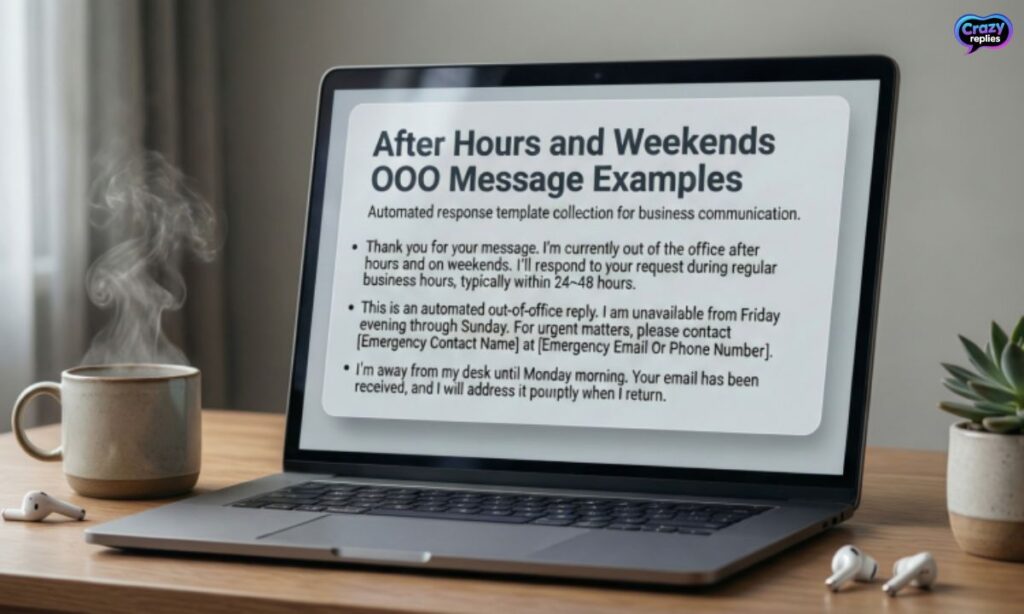
After hours email response templates help set boundaries for work-life balance while managing expectations. These short out of office messages work perfectly for evenings and weekends when you’re technically available but not monitoring email constantly.
- “Thank you for your email. I’ve received your message outside of business hours (9 AM – 5 PM, Monday-Friday). I’ll respond during my next working day. For urgent matters, please call [phone number].”⏰
- “You’ve reached me after hours. I typically respond to emails during business hours, Monday through Friday. I’ll get back to you on the next business day. Thanks for your patience!”🌙
- “This is an automated email away message. I’m currently out of the office for the weekend and will respond to your email on Monday morning. Enjoy your weekend!”📅
- “I’ve received your email but I’m not currently monitoring messages. My regular office hours are [hours]. I’ll review and respond to your email during my next shift. For immediate assistance, contact [email/phone].”🏠
Lead Generation and Promotional OOO Messages
Your email out of office alert can do more than inform it can promote your business and generate leads. These customer email response automation templates from our 75+ Top Out of Office Message Templates & Examples turn absence into opportunity.
- “Thanks for reaching out! I’m away until [date], but while you wait, check out our latest resources at [link]. You’ll find helpful guides that might answer your question. I’ll respond when I return!”💼
- “I’m out of the office from [date] to [date]. In the meantime, explore our new product features at [website link]. For immediate support, our team is available at [email]. Looking forward to connecting when I’m back!”📊
- “Thank you for your email. I’m currently away but will respond on [date]. While I’m out, download our free [resource name] at [link] it’s packed with insights you’ll love. For urgent inquiries, contact [colleague].”🎯
- “I’m taking time off until [return date]. Don’t let that slow you down book a demo with our team at [calendar link] or browse our case studies at [website]. I’ll follow up personally when I return!”🚀
| Type | Purpose | Call-to-Action Example |
| Resource Promotion | Share valuable content | “Download our free guide at [link]” |
| Product Launch | Announce new features | “Explore our latest release at [website]” |
| Event Registration | Drive webinar signups | “Register for our upcoming webinar [link]” |
| Demo Booking | Generate qualified leads | “Schedule a demo at [calendar link]” |
| Newsletter Signup | Build email list | “Subscribe to our newsletter at [link]” |
Tips for Automating Out of Office Replies Effectively
Automated email replies work best when they’re set up strategically and thoughtfully. These automatic response best practices ensure your email autoresponder message serves its purpose without annoying recipients.
Smart automation strategies for your OOO notification:
- Schedule start and end times precisely :Set your auto responder to activate right when you leave and deactivate upon return⏱️
- Use AI-powered auto reply tools :Leverage smart assistants to generate personalized responses based on email content🤖
- Segment internal vs. external responses :Create different messages for team members versus clients using platform features📧
- Limit reply frequency :Configure settings so each sender only receives your automatic email response once per absence🔄
- Test across devices :Send test emails from different platforms to ensure your out of office communication displays correctly📱
Final Words
Taking a break from work doesn’t have to be stressful. These 75+ out of office message templates make it easy to stay professional while you’re away.
From formal alerts to funny notes, there’s a template for every situation. Just pick one, set it up, and enjoy your time off worry-free!
Frequently Asked Questions
How do I set an out of office message in Outlook?
Open Outlook, go to File → Automatic Replies, turn it on, and type your message. Your contacts will get notified while you’re away.
Can I schedule an out of office message in Outlook?
Yes! In Outlook, you can set start and end dates so your auto-reply turns on and off automatically.
What should I write in my Outlook out of office message?
Keep it short and polite: mention your absence, return date, and an alternate contact for urgent matters.
Does Outlook send out of office messages to everyone?
You can choose: send replies to just your organization or to everyone who emails you.
How long can an Outlook out of office message last?
It lasts as long as you set it in the Automatic Replies schedule—days, weeks, or custom dates.
Can I use a funny out of office message in Outlook?
Absolutely! As long as it’s professional enough for your audience, a light, fun message works.
How do I turn off an out of office message in Outlook?
Simply go back to Automatic Replies and switch it off before you return.

Nate Wilder has 4 years of experience crafting witty, smart replies and writing about relationships. At CrazyReplies.com, he shares fun, clever, and heartwarming responses that make conversations more interesting and connections stronger.